
Recommended Monitor Height and Distance From the Eyes, in Centimetres
In short
According to OSHA, the top edge of the screen is at or below eye level, the centre of the screen is 15 to 20 degrees below the line of sight, and the distance from the eyes is 50 to 100 cm. The Weizmann Institute names an arm's length, 60 to 70 cm. At 60 cm the centre of the screen is 16 to 22 cm below the eye line. For a 24-inch screen the bottom edge sits 31 to 37 cm below the eye line, and for a 32-inch screen 40 to 42 cm, because with large screens the top-edge rule is the limiting one. Measure your eye height above the desk and subtract the value from the table.
The short answer: height, distance and angle
The eye line is the horizontal line through your eyes when you look straight ahead. All measurements start from it. The table gathers the values of the official guidelines, and the following sections convert them to centimetres by screen size.
| What you measure | Recommended value | Source |
|---|---|---|
| Top edge of the screen | At or below eye level | OSHA, Weizmann Institute |
| Centre of the screen | 15 to 20 degrees below the eye line | OSHA |
| Distance from the eyes to the screen | 50 to 100 cm, in practice an arm's length of 60 to 70 cm | OSHA, Weizmann Institute |
| Angle to the sides | The screen in front of you, and no more than 35 degrees to the right or left | OSHA |
| Tilting the screen back | No more than 10 to 20 degrees, to avoid glare from ceiling lights | OSHA |
| Neck bend | Avoid bending or extending more than 15 degrees for long periods | Weizmann Institute |
OSHA does not say at which point of the screen the side angle is measured. In the dual-monitor section we calculated it to the centre of the screen.
The practical rule: if you have to tilt your head back to see the screen, it is too high. If you lean forward to read, it is too far. OSHA describes both situations as causing fatigue in the neck, shoulders and back.
From angle to centimetres: how high the screen should be
Monitor stands are sold in centimetres, while the guidelines are written in degrees and an eye line. To connect them you calculate two things. The first: at a distance D from the screen, the centre of the screen is D times the tangent of the angle below the eye line. At 60 cm that is 16 cm at 15 degrees and 22 cm at 20 degrees. Every additional 10 cm of distance lowers the centre by about another 3 cm. The second: the top edge does not rise above the eye line, so the bottom of the screen is below the eye line by at least the screen height.
With small screens the two rules agree. With large screens the top-edge rule is the limiting one: on a 27-inch screen a centre at 15 degrees would put the top edge less than a centimetre above the eye line, and on a 32-inch screen about 4 cm above it, so the bottom of the screen has to be lower. The table already combines both rules, for a distance of 60 cm.
| The screen | Display area height | Screen bottom below the eye line | Example: eyes 50 cm above the desk, screen bottom above the desk |
|---|---|---|---|
| 14-inch laptop (16:10) | 19 cm | 26 to 31 cm | 19 to 24 cm |
| 24-inch screen (16:9) | 30 cm | 31 to 37 cm | 13 to 19 cm |
| 27-inch screen (16:9) | 34 cm | 34 to 39 cm | 11 to 16 cm |
| 32-inch screen (16:9) | 40 cm | 40 to 42 cm | 8 to 10 cm |
| 34-inch ultrawide (21:9) | 34 cm | 34 to 39 cm | 11 to 16 cm |
The display area height is calculated from the diagonal and the aspect ratio, without the bezel. The numbers in the last column are an example for eyes 50 cm above the desk. Your height is different, so measure it in the first step below.
Set the desk and chair first
The screen is measured from a correct sitting posture: elbows bent between 90 and 120 degrees, feet on the floor or on a footrest. If the desk height still does not fit, start with the ergonomic desk check.
Measure your eye height above the desk
Sit upright and look straight ahead. Have someone measure with a vertical ruler from the desk surface to eye level. This value is E. It varies from person to person, so there is no single value that suits everyone.
Choose a distance and measure it
Start with an arm's length: with the arm straight, your fingertips touch the screen surface. The Weizmann Institute points to 60 to 70 cm, and the range defined by OSHA is 50 to 100 cm. OSHA adds that with small screens you may need to enlarge the text rather than move closer.
Calculate the bottom height
Subtract the value in the "below the eye line" column from E. For example, for a 27-inch screen and eyes 50 cm high, the bottom of the screen should be 11 to 16 cm above the desk. When the distance is more than 60 cm, add about 3 cm to "below the eye line" for every additional 10 cm.
Tilt slightly and test for twenty minutes
Tilt the screen back no more than 10 to 20 degrees, to avoid glare. After twenty minutes of work, check: if your head tilts back, lower the screen. If it tilts forward or you lean in, move it closer or raise it slightly.
Why the sources sound different, and what it means in practice
If you read several guides you see different wordings: "eye level", "slightly below", "15 degrees", "arm's length". The difference is mostly in the point that is measured, not in the recommendation. The table shows the four sources we checked.
| Source | Height | Distance | What is measured |
|---|---|---|---|
| OSHA (USA) | Top edge at eye level or slightly below. The centre 15 to 20 degrees below the horizon line | 50 to 100 cm | Top edge and centre |
| Safety Unit, Weizmann Institute | Top edge at eye level | 60 to 70 cm, with an outstretched arm | Top edge |
| Israel Institute for Occupational Safety and Hygiene (laptops) | The centre of the display slightly below eye level. In a practical example the centre is about 11 degrees lower | Not stated | Centre |
| International Ergonomics Association, Hebrew guide for phones and tablets | Eye level or slightly below, a line of sight descending about 15 degrees | At least 40 cm | Line of sight |
The sources deal with different devices: a desktop screen, a laptop and a phone. The table shows the big picture, not a list of contradictions.
The conclusion: all the guidelines say that the gaze goes down slightly and that the screen does not rise above the eye line. The differences of single centimetres between "top edge at eye level" and "centre 15 degrees below" come from the height of the screen itself. That is why the measurement from the previous section, which combines both rules, is safer than either rule alone.
There is also research that challenges "top edge at eye level". In a 1999 study by Burgess-Limerick and colleagues, 12 participants aged 21 to 30 worked for 30 minutes once with a screen whose top edge was at eye level and once with a low screen, 18 degrees below the eye line. Lowering the screen did not change the neck posture relative to the trunk, and it increased head flexion relative to the neck by about 5 degrees. The gaze angle in the low position was closer to the angle preferred by the eye, and the authors wrote that recommendations of the "top edge at eye level" type should be re-examined. The study is small and short, it did not measure pain or injury, so you cannot conclude from it that lower is always better. It does explain why the guidelines talk about "at eye level or below" and not "at eye level". Someone who feels comfortable with a screen slightly lower than the values in the table is not departing from the guidelines.
Laptop: why raising it is not enough
On a laptop the display and the keyboard are attached, so you cannot meet both the screen rule and the hands rule. The Israel Institute for Occupational Safety and Hygiene describes the preferred solution as separation: an external keyboard and mouse at elbow height, and the screen raised to eye level. If you have no dedicated equipment, you can put the laptop on a pile of books or on a shelf, and check that the centre of the display is slightly below eye level. Without an external keyboard, raising the laptop raises the keyboard too, and one problem is replaced by another.
In the table example (eyes 50 cm above the desk) the bottom of a 14-inch screen should be 19 to 24 cm above the desk. Low riser shelves, such as a 12 cm shelf, are not enough for it alone. For a laptop you need a taller stand or a taller pile.
Two monitors: how to divide the work
OSHA sets that the main screen is directly in front of you and no more than 35 degrees to the sides. At 60 cm, 35 degrees is an offset of 42 cm from the centre. The angle depends on how you divide the work between the screens. The table shows the head angle to the centre of the outer screen, at 60 cm.
| Two monitors | The seam between them in front of you (equal use) | Main screen in front of you and the second beside it |
|---|---|---|
| Two 24-inch | 24 degrees | 41 degrees, over the limit |
| Two 27-inch | 27 degrees | 45 degrees, over the limit |
| Two 32-inch | 31 degrees | 50 degrees, over the limit |
The calculation uses an estimated screen width without the bezel, so wide bezels increase the angle. A single 34-inch ultrawide (79 cm wide) reaches 33 degrees at its edges at a distance of 60 cm.
The interpretation: when both screens are used equally, place them on both sides of the line in front of you, and the neck stays in range. When one is the main screen and the other is only for auxiliary windows, the second screen is out of range, so do not move it further away than necessary. OSHA adds that someone who works mainly from paper should place the screen slightly to the side, with the paper directly in front. If the desk width does not allow this split, the computer desk size guide calculates width and depth by monitors.
How to raise it: shelf, stand or arm
After the calculation there is one gap left: the required bottom height minus the height at which the screen sits today, measured with a ruler from the desk surface to the bottom of the display area. That gap is all you need to supply.
| The gap | What fits |
|---|---|
| 0 to 3 cm or negative | No product is needed. If the screen is too high, lower it, for example by removing the stand |
| 4 to 7 cm | A low stand or a few stable books. A 12 cm shelf would raise more than needed |
| About 8 to 14 cm | A 12 cm riser shelf fits, and leaves room for the keyboard underneath |
| More than 14 cm | An adjustable stand or a monitor arm, or a combination of shelf and stand. One shelf will not reach |
| Laptop | A tall stand, or a shelf and an external keyboard. A 12 cm shelf alone is usually too short |
The ranges are rules of thumb based on the example in the table. The real gap is set by measuring with a ruler.
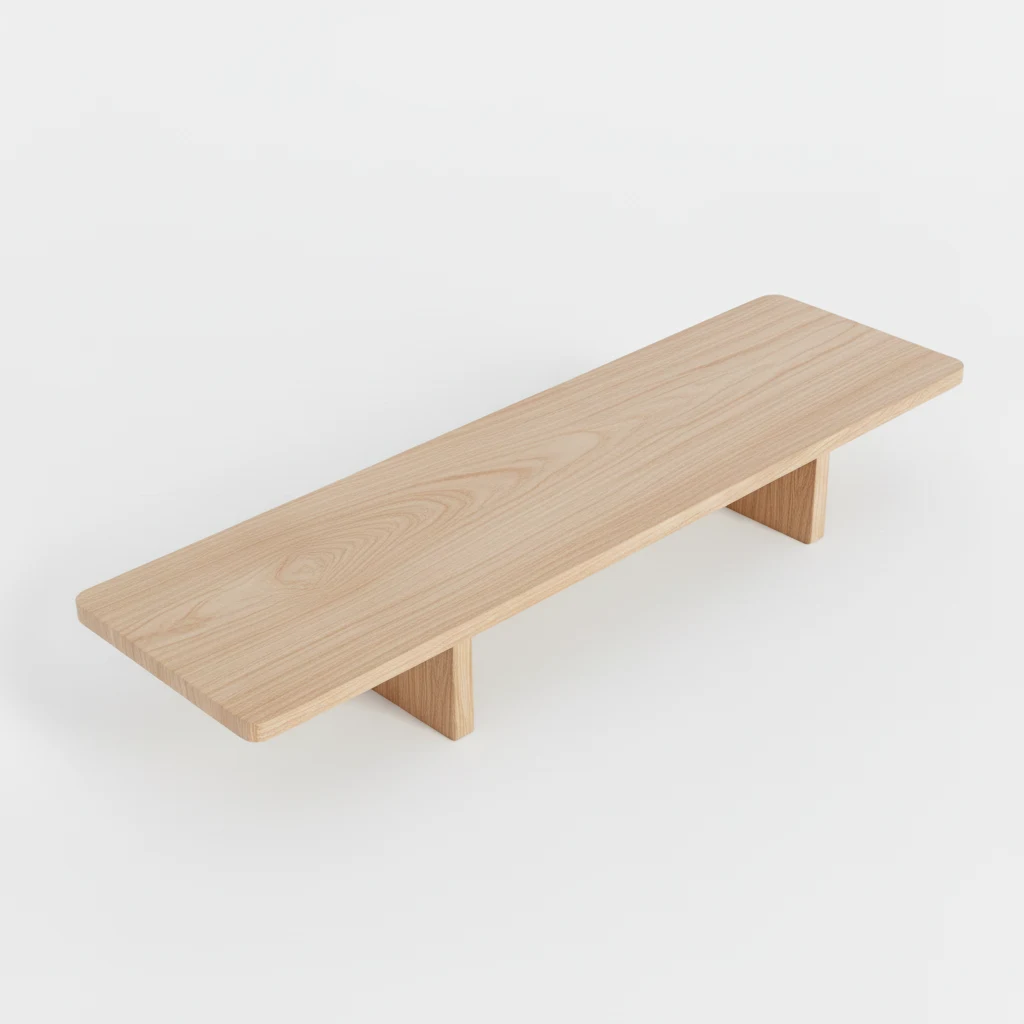
Comfortly has one riser shelf: solid wood, 100 cm long, 23 cm deep and 12 cm high, in oak or walnut. It is meant for a gap of 8 to 14 cm, so it is not a substitute for an adjustable stand when the gap is larger. The 12 cm space under the shelf holds a full-size keyboard and a mouse. When you switch to standing, the shelf stays on the desk and rises with it. Our estimate, not a research finding: eye height above the elbows stays similar standing and sitting, so the measurement you found while sitting should also fit while standing, within a few centimetres.
Signs that the screen is in the wrong place
| What you feel or do | Likely cause | The fix |
|---|---|---|
| Head tilts back, fatigue in the neck and shoulders | The screen is too high | Lower it until the top edge is at or below eye level |
| You lean forward to read | The screen is too far | Move it to an arm's length, and enlarge the text instead of moving closer |
| You push the chair back and type with straight arms | The screen is too close | Move the screen back and return the chair to the keyboard |
| The neck is turned to the side | A second screen is too far from the axis | Bring it closer to an angle of up to 35 degrees |
| Glare from the lighting on the screen | The screen is tilted back too much | Reduce the tilt, and place it perpendicular to the window |
| Head tilts back even when the screen is low | Bifocal glasses | Lower the screen further or switch to dedicated lenses |
Even a perfect position does not replace breaks from the screen. OSHA recommends looking up at a distant object, blinking and switching tasks. The International Ergonomics Association guidelines for working with digital devices include the "20-20-20 rule": every 20 minutes, look away for 20 seconds at something 20 feet away, about 6 metres. You can calculate the desk height itself in the recommended desk height calculator.