
Computer Desk Size: 120, 140 or 160 cm? A Formula by Monitors
In short
Desk size is set by your monitors, not by the room. The width you need is the sum of the monitor widths plus 20 to 40 cm for the keyboard, mouse and elbows, and the depth follows viewing distance: 60 cm up to a 24-inch screen, 70 cm for 27 inches and 80 cm for 32 inches and up. In practice a 120x60 desk is enough for one small to medium monitor, 140x70 is the minimum for two 24-inch monitors, and 160x80 fits two 27-inch monitors or one wide screen. Three monitors or two 32-inch monitors need a 180 cm top.

Quick decision: which size for the gear on your desk
Most people pick a desk by the space in the room and discover after assembly that the second monitor touches the wall or the keyboard is pushed to the edge. The right direction is the opposite: first work out how much space the gear needs, then check that it fits the room. The table sums up the calculation, and the rest of this guide explains where every number comes from.
| Gear on the desk | Required width | Recommended depth | Size that fits |
|---|---|---|---|
| Laptop only | 50 to 70 cm | 60 cm | 120x60 |
| One 24-inch monitor | 73 to 93 cm | 60 cm | 120x60 |
| One 27-inch monitor | 80 to 100 cm | 70 cm | 120x60 for width, 140x70 for comfortable depth |
| One 32-inch monitor | 91 to 111 cm | 80 cm | 160x80 |
| 34-inch ultrawide monitor | 100 to 120 cm | 80 cm | 160x80, because of the depth |
| Laptop and a 27-inch monitor | 110 to 130 cm | 70 cm | 140x70 |
| Two 24-inch monitors | 126 to 146 cm | 60 cm | 140x70 when tight, 160x80 when comfortable |
| Two 27-inch monitors | 140 to 160 cm | 70 cm | 160x80 |
| 49-inch super-ultrawide monitor | 140 to 160 cm | 80 cm or more | 160x80 |
| Two 32-inch monitors | 162 to 182 cm | 80 cm | 180x80 tabletop |
| Three 24-inch monitors | 179 to 199 cm | 60 cm | 180x80 tabletop, tight |
The values are calculated with the formulas later in this guide. They are a planning estimate and not a measurement of a specific model, and monitor widths vary by a few centimeters between makers.
Width: the sum of the monitors plus working space
The formula: desk width ≥ sum of monitor widths + 20 to 40 cm. The working space is for the keyboard that sits under the monitor, the mouse, your elbows and the things that tend to pile up at the sides. 20 cm is a tight minimum, 40 cm is a desk that is pleasant to work at. This is not a standard but our rule of thumb, and it works well because it is based on the physical size of the gear.
To calculate you need the width of the screen itself, not the diagonal printed on the box. The width of a screen (without the stand) comes from the diagonal and the aspect ratio:
| Screen type | Diagonal | Aspect ratio | Approximate width |
|---|---|---|---|
| Standard | 24 inch | 16:9 | 53 cm |
| Standard | 27 inch | 16:9 | 60 cm |
| Standard | 32 inch | 16:9 | 71 cm |
| Ultrawide | 34 inch | 21:9 | 80 cm |
| Super-ultrawide | 49 inch | 32:9 | 120 cm |
| Laptop | 14 inch | 16:10 | about 30 cm |
The width is computed from the diagonal and ratio with no special bezel and without the stand. Check the spec of your model before buying.
Example: two 27-inch monitors are 60 plus 60, which is 120 cm. With 20 to 40 cm of working space you reach 140 to 160. A 140 desk will hold them, but with no room to breathe. A 160 desk is the comfortable choice.
Depth: 60, 70 or 80 cm
Width gets most of the attention, but depth decides whether your eyes and neck work comfortably. OSHA, the US Occupational Safety and Health Administration, states that the depth of the work surface should allow a distance of at least 50 cm from the eyes to the screen, with a preferred distance between 50 and 100 cm.
A common rule of thumb for choosing a distance inside that range is a viewing distance about equal to the screen diagonal, so a bigger screen means sitting further back and therefore a deeper desk. To turn distance into desk depth we used two assumptions, stated openly here: your eyes are about 15 cm behind the front edge of the desk while typing, and the glass of a flat monitor sits about 7 cm in front of the wall or the back edge of the desk. From that, the depth needed is roughly the viewing distance minus 8 cm.
| Screen | Viewing distance (rule of thumb) | Depth needed (calculation) | Depth chosen |
|---|---|---|---|
| 24 inch | about 61 cm | about 53 cm | 60 cm is enough |
| 27 inch | about 69 cm | about 61 cm | 60 is borderline, 70 is comfortable |
| 32 inch | about 81 cm | about 73 cm | 80 cm |
| 34-inch ultrawide | about 86 cm | about 78 cm | 80 cm |
This is a planning rule of thumb. If you move the screen away from the wall, use a monitor arm or sit further from the edge, the values change.
What if there is no room for depth? OSHA suggests pulling the desk away from the wall, choosing a flat-panel display that is not deep, or placing the monitor in the corner of the work area, because a corner usually gives more depth than a straight run of desk. You can read about corner desk options on the fixed computer desk page.
Three monitors, two monitors and the 35-degree angle
OSHA also says that a monitor should not be more than 35 degrees to the left or right of the line straight in front of you, so that the head and neck are not turned for long periods. When you apply this to the real dimensions the result is interesting:
- Two monitors side by side in the middle: each screen is about half its width away from the straight line. With 24 to 32-inch screens the angle comes out around 23 degrees, which is within the limit.
- Three 24-inch monitors in a straight row: the center of a side screen is 53 cm from the straight line, and at a viewing distance of 61 cm that is about 41 degrees. This exceeds the OSHA recommendation, so angle the side monitors inward slightly instead of lining them up flat.
- A main and a secondary monitor: place the main one directly in front of you and the secondary to the side, up to 35 degrees. In this case desk width matters less, and depth matters more.
One more rule the desk should allow: the top edge of the screen at eye level or slightly below. If the screen is too high you have to tilt your head back, a posture that tires the neck and shoulder muscles.

A fixed 72 cm height: who it suits
A fixed computer desk does not change height, so its height has to match your body. The ideal sitting desk height is about 0.4 of body height (an average proportion from body-segment research that we cross-checked against OSHA guidance, and the idea behind the desk height calculator). Our desks are 72 cm high, and the table shows who that suits:
| User height | Ideal sitting desk height | Fit with a 72 cm desk |
|---|---|---|
| 150 cm | 60 cm | 12 cm too high: not suitable, choose an adjustable desk |
| 160 cm | 64 cm | 8 cm too high: borderline, needs a raised chair and a footrest |
| 165 cm | 66 cm | 6 cm too high: works with a raised chair and a footrest |
| 170 cm | 68 cm | 4 cm too high: works with a chair adjustment |
| 175 cm | 70 cm | 2 cm too high: suitable |
| 180 cm | 72 cm | Full match |
| 185 cm | 74 cm | 2 cm too low: suitable |
| 190 cm | 76 cm | 4 cm too low: suits most people |
| 195 cm | 78 cm | 6 cm too low: borderline |
| 200 cm | 80 cm | 8 cm too low: an adjustable desk is better |
The table is based on an average body proportion. Your exact height also depends on the chair height, the keyboard and your build.
The sizes we sell and what fits each
Our fixed computer desk (Mars) is built from metal legs and a 18 mm tabletop. The legs carry up to 80 kg, stand 72 cm high and come with a 3-year warranty. If you need a wider top, up to 180 cm, you can buy a separate tabletop and mount it on the same legs.

Computer desk 120x60
For one monitor or a laptop, a small room or a work corner
990 ₪
Details →Computer desk 140x70
The common size, for two 24-inch monitors or a 27-inch monitor with a laptop
1,180 ₪
Details →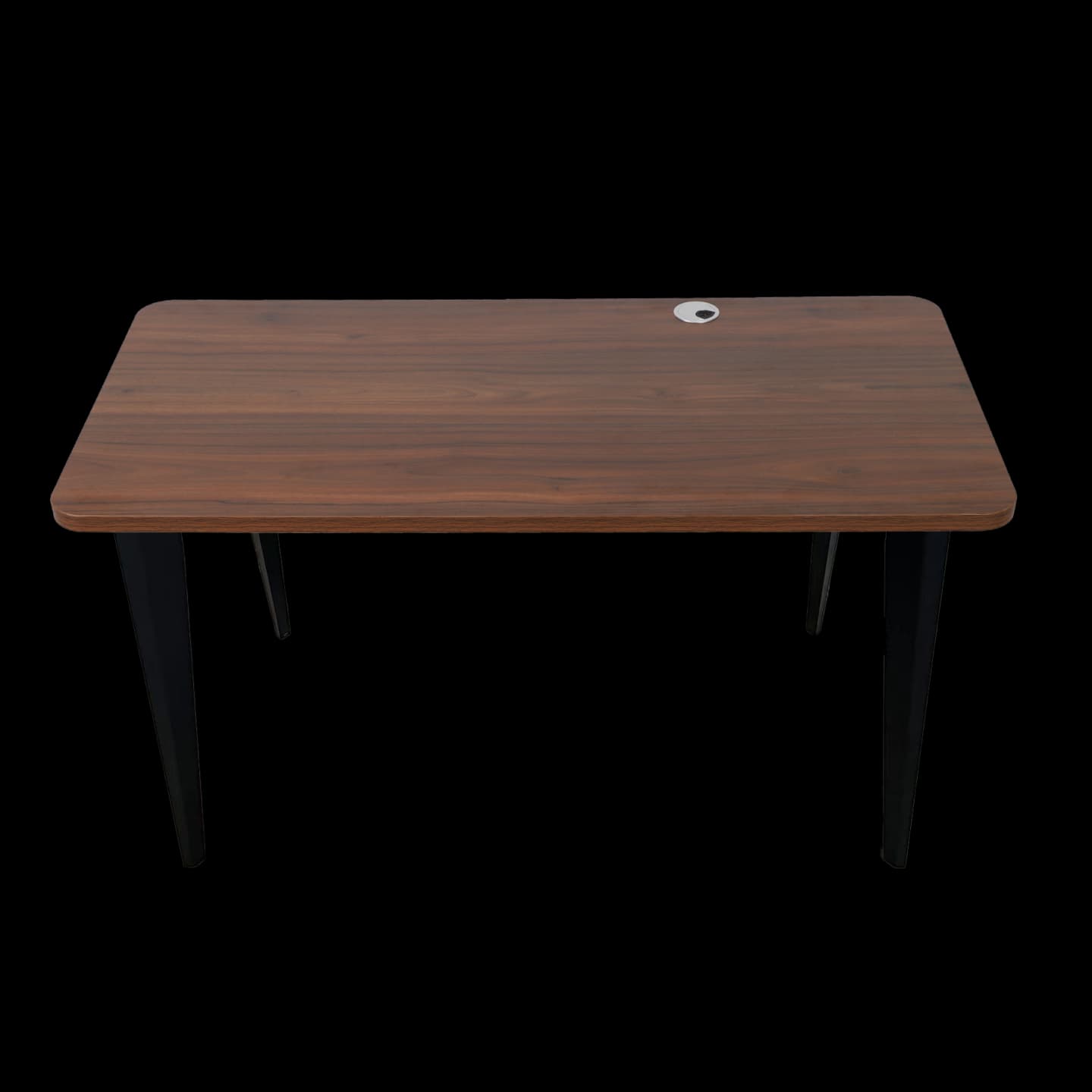
Computer desk 160x80
For two 27-inch monitors, a wide screen, or extra room for documents
1,280 ₪
Details →
For a full comparison of the three sizes, including colors and prices, see the computer desk page.