
Under-Desk Walking Pad: What Speed to Work At and What the Research Says
In short
The research gives a double picture. Slow walking while working raises energy expenditure: in a Mayo Clinic study, 15 people with obesity who walked at about 1.8 km/h and worked used 191 kcal per hour compared with 72 seated. On the other hand, a meta-analysis of 18 studies found that typing on a treadmill is slower (SMD of minus 0.8), and in one study it fell from 54.4 to 50 words per minute when walking at 1.6 km/h. Attention was not harmed, and recall improved in two small studies. All the findings come from a laboratory, in short sessions. So walk at 1.5 to 3 km/h for calls, reading and meetings, and sit or stand still for long typing and precise work.
What the research found, and what it did not
The information on walking while working comes mostly from laboratories: sessions of tens of minutes up to an hour, with volunteers. The table sums up the studies we checked, and each one comes with its limitation, because the limitation changes what you can conclude.
| Study | What was measured | Finding | The limitation |
|---|---|---|---|
| Levine and Miller, 2007 (British Journal of Sports Medicine) | Energy expenditure of 15 people with obesity, at a workstation built on a treadmill, at a speed they chose | 191 kcal per hour walking and working at about 1.8 km/h, compared with 72 seated, an increase of 119 | 15 participants, 14 of them women, average 86 kg. One hour of walking, and work productivity was not measured |
| Podrekar, Kozinc and Šarabon, 2020 (Work), a meta-analysis of 18 studies | Work performance and cognitive function with treadmill and cycling desks | Slower typing at a treadmill desk (SMD of minus 0.8). Attention: no effect. Recall: improvement (SMD of 0.7) in two studies | All the studies were in a laboratory. Different speeds and experiments, so the authors recommend interpreting with caution |
| Straker, Levine and Campbell, 2009 (Human Factors), as reported in the meta-analysis | Typing speed seated and walking | 54.4 words per minute seated, 50 walking at 1.6 km/h and 49.6 walking at 3.2 km/h | One laboratory study. The data are quoted from the meta-analysis |
| Funk and colleagues, 2012 (Perceptual and Motor Skills), as reported in the meta-analysis | Typing at different walking speeds | Typing declined at 1.3 and 3.2 km/h, but not at 2.25 km/h | Results are inconsistent between studies, so you cannot pick a "magic speed" |
| Shrestha and colleagues, 2018 (Cochrane) | Whether active desks shorten sitting at work | The effect of treadmill and cycling desks on sitting time has unclear or inconsistent results | The review deals with sitting time at work, not typing or concentration |
The most stable finding is energy expenditure. Anything related to concentration, productivity and long-term change in health has not yet been proven.
Two things tend to get confused here. Walking while working raises energy expenditure, and that is the strong finding. But the assumption that it "improves concentration" is not supported: the meta-analysis found no effect on attention tests, and only two small studies found an improvement in recall. The practical meaning is not to expect better concentration, and to expect slightly slower typing.
What speed to work at, by task
In the studies we checked, typing speed fell when walking even at a slow speed. In Straker and colleagues the difference is about 8 to 9 percent: from 54.4 words per minute to 50 at 1.6 km/h, and to 49.6 at 3.2 km/h. That is, the difference is almost identical at both speeds, and even slow walking costs a little typing speed. So the decision is by task: what does not depend on precision suits walking, and what does is better done standing or seated.
| The task | Speed | Why |
|---|---|---|
| Phone call or a conversation on screen | 1.5 to 2.5 km/h | No hands needed, and you can talk without getting out of breath |
| Reading and going through documents | 1.5 to 3 km/h | The eyes move and the hands are free |
| Video meetings | 1.5 to 2 km/h | Keep the movement small, so the camera and speech stay steady |
| Emails and short typing | 1.5 to 2 km/h | Typing slower by 8 to 9 percent is expected, so it suits short texts |
| Long writing, code and spreadsheets | Standing or sitting | Typing is slower when walking. We found no data on precise mouse work, so test it yourself |
The speeds in the table are our practical guidance, not research values. The studies we checked measured typing only, and they have no speed range for calls or reading.
A personal test is worth more than any number: type a fixed text for one minute seated, and then while walking at a slow pace. If the difference is more than 10 percent, keep typing for sitting. A test like this does not replace research, but it shows whether you are in the range that was measured.
How much energy it really adds
Levine and Miller measured the energy expenditure of 15 people with obesity. The table shows the results in kcal per hour, and we converted the speeds from the miles per hour in the study to km/h (one mile per hour is 1.6 km/h).
| State | kcal per hour | Increase over sitting |
|---|---|---|
| Sitting and typing | 72 | - |
| Standing | 82 | 10 |
| Walking and working, self-selected speed (about 1.8 km/h) | 191 | 119 |
| Walking without work, 1.6 km/h | 198 | 126 |
| Walking without work, 3.2 km/h | 254 | 182 |
| Walking without work, 4.8 km/h | 307 | 235 |
The increase is calculated by us as the difference from the sitting average. The values include basal metabolism, and were measured in people who weigh 86 kg on average. For other people the numbers will differ.
The difference between walking and working and sitting in these participants is about 100 to 120 kcal per hour. The authors estimate that if people with obesity walk 2 to 3 hours a day instead of sitting, and the rest of the energy balance does not change, they would lose 20 to 30 kg per year. This is a theoretical estimate that was not measured, and we could not reproduce the number. A simple calculation of ours, using the common rule of 7,700 kcal per kg, gives about 6 to 11 kg per year for 2 to 3 hours over 230 working days, and even that only if eating does not go up.
How long each day, and how to start
No study sets how many hours of walking at work are recommended. The Cochrane review mentions a 2015 recommendation of an international expert group to accumulate, during working hours, two hours of standing and light activity (including slow walking), gradually up to four hours. It follows that a walking pad does not need to run all day. It is about accumulating sessions.
Set the desk
The desk rises by the height of the walking surface, so the elbows stay bent at about 90 degrees and the shoulders relaxed. Save the height in a separate memory preset. Calculate the screen height from the monitor height guide.
Start by standing
Stand on the surface before turning it on. In the Mayo study participants were given 5 to 10 minutes of acclimation while standing, and then chose a speed themselves.
Choose a slow speed
Start at 1.5 km/h and a light task such as reading or a call. Step on and off the surface while it is stopped, as with any treadmill.
Accumulate in short sessions
Start with 10 to 15 minutes at a time, and add according to comfort. There is no number from a study, so listen to your body and not the clock.
Test your typing
At the end of the first week, do the one-minute typing test, seated and walking. If the difference is large, move long typing to sitting.
What you need to walk under the desk
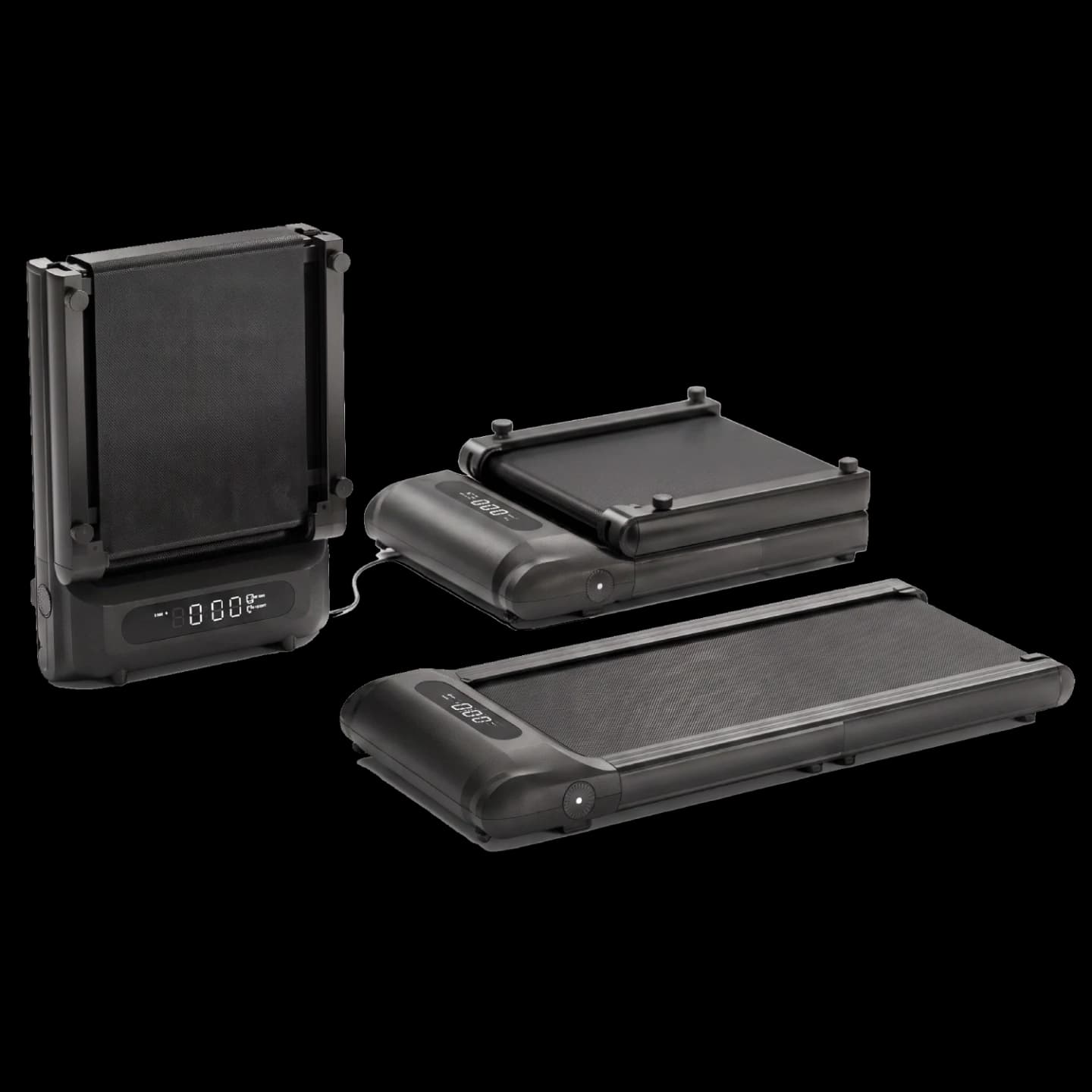
Walking at work requires a desk that rises to standing height, because a fixed desk at 72 or 74 cm leaves no room for a walking pad and the user on it. Comfortly has one walking pad, the Orion: a flat surface without a handrail, a quiet motor, an LED display and a remote control, a fold in 3 seconds and a maximum load of 120 kg. It was designed for slow walking and not for running, so it suits the tasks in the table above. If you want only standing, without walking, a standing mat may be enough, and you can read the full cost in the price guide.
More on the difference between standing and walking, and on what research says about standing during a workday, in the standing desk benefits guide. You can check the rest of the workstation with the eight checks of an ergonomic desk.